Why We Built Society App: A Complete Housing Society Management Platform
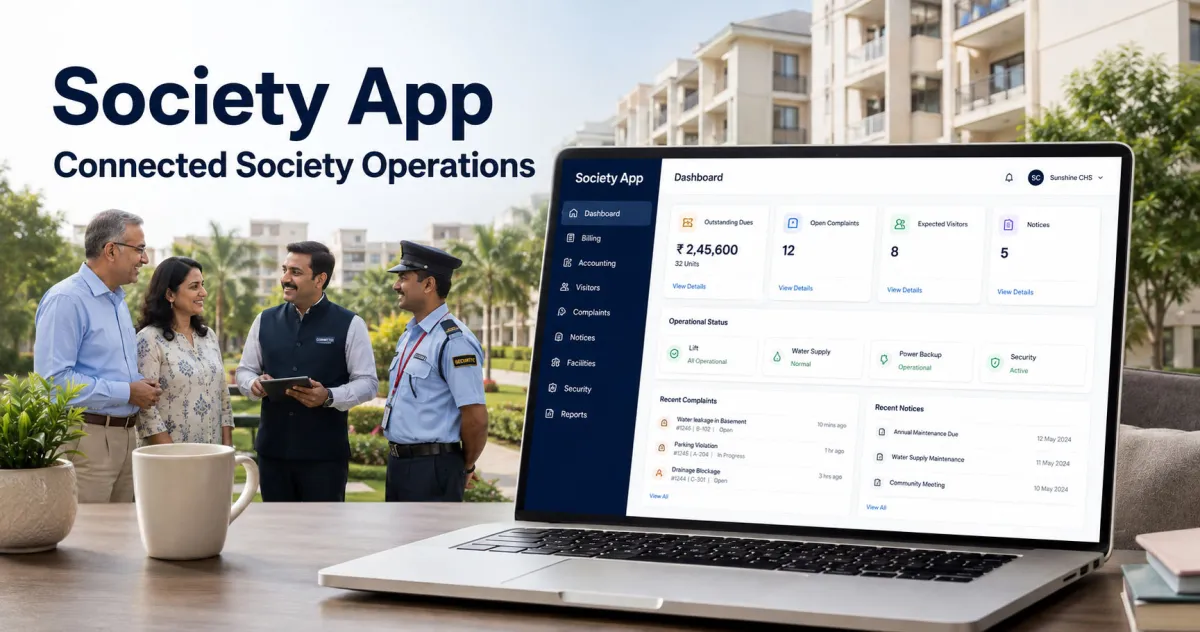
Software products often begin with a feature idea. Society App began with a real problem.
In the housing society where I reside, important information was frequently unavailable when residents needed it. Sometimes a request depended on following up with the right person. Sometimes records existed but were difficult to locate. In other situations, the available software did not support the society's actual process.
The society was not unwilling to adopt technology. It had already tried three different paid software systems, not merely trial versions. Yet none worked as a complete society management system.
Each product handled certain activities, but important workflows remained disconnected. One application might support maintenance billing but provide limited accounting. Another might handle notices and complaints but leave governance, documents, assets, insurance, procurement, or compliance outside the system.
When software covers only part of the operation, people fill the remaining gaps with spreadsheets, registers, messages, email threads, paper files, and verbal follow-ups.
That creates a familiar problem: information technically exists, but it is not always available, reliable, current, or accessible to the person who needs it.
This experience led to a larger question:
What would a housing society management platform look like if it were designed around the complete operation of a society rather than a small collection of convenient features?
That question became the foundation of Society App, a housing society management platform designed to bring residents, maintenance, communication, finance, security, and administration into one connected workspace.
The Real Problem Was Not a Lack of Software
Many housing societies already use some form of software. The real challenge is that society management is broader than maintenance collection and visitor entry.
A residential community must coordinate several connected areas:
Buildings, wings, floors, units, owners, tenants, and occupancies
Maintenance charges, invoices, payments, receipts, and outstanding dues
Accounting, expenses, vendors, budgets, procurement, and inventory
Complaints, assignments, escalations, comments, and supporting documents
Notices, communication, meetings, resolutions, polls, and action items
Visitors, approvals, QR or OTP passes, gate activity, and parcel custody
Amenities, parking spaces, vehicles, staff, employees, and access credentials
Assets, AMC contracts, preventive maintenance, insurance, and compliance
Emergency communication, important contacts, resident requests, and reports
Permissions, audit history, scheduled work, backups, and operational monitoring
These are not isolated features. They affect one another.
A unit is connected to its occupants. An occupant may be an owner, tenant, committee member, or staff member. A payment affects an invoice and the resident ledger. An approved expense should affect accounting and budget reporting. A complaint may require assignment, escalation, evidence, and communication. A committee decision may result in tasks, notices, expenses, or policy changes.
When these activities are spread across unrelated tools, the society loses continuity.
Starting With How Societies Actually Operate
Before building Society App, we examined the day-to-day and year-end responsibilities of residential societies.
The goal was not to create another narrow application with a long feature checklist. The goal was to understand complete workflows:
Who initiates an activity?
Who is allowed to review or approve it?
What information must be preserved?
What happens after approval?
Who should be notified?
Which reports should reflect the transaction?
What audit history is required?
What should happen when a committee member, resident, or staff member changes role?
How should records remain isolated between societies?
How can the platform remain manageable for non-technical users?
This research changed the architecture of the product.
Instead of treating every user as a generic account, Society App uses role-aware and society-scoped access. Instead of overwriting important financial or governance history, sensitive workflows preserve transitions and reversals. Instead of assuming every society needs every available module immediately, the platform supports controlled module activation with dependency protection.
This research-led process reflects how MDITech approaches custom web application development: understand the real workflow first, then design the technology around its users, controls, and long-term requirements.
One Account, Multiple Responsibilities
A person's relationship with a society may change over time.
An owner may become a committee member. A committee member may complete their tenure but remain an owner. A resident may own a unit in one society and serve in an administrative role in another.
Society App separates a person's login identity from their society-specific roles and relationships.
This allows the platform to preserve legitimate resident access when a committee role ends. It also allows one account to belong to multiple authorized society workspaces with different responsibilities in each.
The result is a more accurate representation of how residential communities operate.
Structured Onboarding Before Daily Operations
Incomplete initial setup is one reason management software becomes unreliable.
If buildings, units, residents, occupancies, billing settings, complaint categories, permissions, or financial periods are missing, daily transactions begin with incorrect or incomplete data.
Society App therefore includes an ordered onboarding process. Administrators are guided through the required setup before beginning dependent operations.
The setup flow covers areas such as:
Society profile and operational settings
Buildings, floors, and units
Residents and occupancy relationships
Society team and role assignments
Complaint categories and escalation rules
Billing and accounting readiness
Module selection and dependency checks
Final operational review and launch
This makes onboarding a controlled process rather than a collection of unrelated configuration pages.
Maintenance Billing Connected to Payments and Accounting
Maintenance collection is essential, but issuing an invoice is only one part of the financial workflow.
Society App supports:
Configurable charge heads
Fixed and area-based calculations
Billing periods
Taxes, late fees, previous balances, and adjustments
Invoice preview, generation, issue, and cancellation
Partial and multi-invoice payments
Cash, cheque, bank transfer, UPI, and other offline payment methods
Payment allocation and unapplied credit
Numbered receipts
Resident and unit ledgers
Outstanding dues and ageing reports
Payment reversal without deleting history
Downloadable invoices and receipts
The accounting module extends this further with a society-scoped chart of accounts, journals, fiscal periods, general ledger, trial balance, income and expenditure statement, balance sheet, and cash-flow classification.
Financial reports are therefore based on connected operational records rather than separately maintained spreadsheets.
Complaints With Ownership and Escalation
A complaint register can record an issue, but it cannot ensure resolution.
Society App treats complaints as a complete workflow. Residents can raise an issue, while authorized users can assign it, update its status, add internal notes, communicate with residents, attach files, and record resolution.
Configurable escalation rules help ensure overdue complaints do not disappear in a list. Assignment and status history provide accountability without relying on memory or private messages.
Residents see the complaints they are authorized to access, while managers receive the broader operational view required to coordinate resolution.
Communication That Reaches the Right Audience
Not every notice should be visible to everyone.
A communication may apply to the entire society, one building, selected units, owners, tenants, or another defined audience.
Society App supports draft, scheduled, published, expired, and cancelled notices. It resolves recipients according to the selected audience and delivers in-app notifications, with configurable email delivery where enabled.
This helps societies replace informal forwarding chains with controlled, traceable communication.
Visitor, Gate, Parcel, and Access Management
Visitor management must be convenient for residents and practical for security staff.
The platform supports expected visitors, resident approval, rejection, validity periods, vehicle details, visitor photographs, check-in, check-out, and gate history.
Advanced controls include QR or OTP credentials, expiry, verification attempts, and duplicate-transition protection. Parcel custody records help security teams record receipt and collection while notifying the appropriate resident.
The interface is designed to keep primary gate actions usable on smaller screens because security teams often work from mobile devices or compact displays.
The platform also manages physical access items such as cards, RFID tags, keys, remotes, and fobs, including assignment, return, loss, revocation, damage, and custody history.
Governance Beyond Notices and Meetings
Committee work affects the entire society, but important decisions are often distributed across meeting notes, messages, and personal task lists.
Society App brings governance activities into structured workflows:
Meetings and attendance
Agendas and published minutes
Formal resolutions
Eligibility-based polls
Immutable vote records
Committee action items
Internal task tracking
Periodic committee roster review
Role and tenure changes with preserved history
The system can periodically remind administrators to review the committee roster because leadership changes are important but infrequent.
Operations Beyond the Basic Modules
A complete society management platform must account for the work that continues outside maintenance billing and communication.
Society App includes operational modules for:
Vendors, expenses, procurement, and budgets
Inventory, stores, stock movements, and reorder levels
Assets and lifecycle management
AMC contracts and renewals
Preventive maintenance schedules
Compliance calendars and evidence
Insurance policies, documents, renewals, and claims
Amenities and facility booking
Parking and vehicle allocation
Domestic staff and society employees
Utility meters, readings, and consumption billing
Emergency incidents and targeted broadcasts
Resident requests, NOCs, move-in, and move-out workflows
Private document management
Community events, classifieds, marketplace listings, and important contacts
The same principle applies beyond housing societies. Our centralized procurement platform case study explains how connected requests, approvals, budgets, ordering, and reporting can replace fragmented spreadsheets and messages.
These modules use the same society context, permissions, audit approach, and reporting foundation.
Reports for Daily Decisions and Year-End Work
Reports should help people take action, not simply export rows.
Society App organizes reports according to practical operational and financial needs.
Day-to-day reports include complaints, visitors, parcels, amenities, utilities, emergencies, payment collections, outstanding dues, and resident ledgers.
Management and year-end reports include:
Billing register
Invoice report
Dues ageing
Defaulter report
Expense register
Budget versus actual
Vendor and inventory registers
Fixed asset register
AMC expiry and maintenance-due reports
Compliance calendar
Insurance and claims register
Governance action items
Audit activity
General ledger
Trial balance
Income and expenditure statement
Balance sheet
Authorized users can export reports to formatted XLSX or printable PDF files.
Security Is More Than Hiding Menu Items
Removing a navigation link is not access control. Secure software requires server-side authorization, protected data access, careful record isolation, and encrypted communication. Our guide to protecting information with HTTPS explains one of the fundamental layers used to secure information exchanged between a user and a web application.
Society App applies authorization on the server and scopes operational records to the current society. Policies, route protection, model scopes, download authorization, and automated cross-society tests work together to reduce the risk of unauthorized access.
Private files are stored using stable society identifiers. Uploads are validated for file type, extension, size, and image dimensions. Sensitive financial actions preserve history through controlled reversals instead of destructive editing.
The system also records audit information such as the acting user, affected record, before-and-after values, IP address, and user agent where appropriate.
Operational Reliability Matters Too
A management platform becomes part of the society's daily operation. Its reliability must therefore be monitored and supported by dependable infrastructure.
Society App is designed around the same principles that guide our managed hosting services: secure infrastructure, monitoring, backups, technical maintenance, and dependable availability.
Application performance is not a one-time task either. It requires continuous performance monitoring and scaling as data volume, users, reports, and operational activity increase.
Society App includes health checks for:
Database connectivity
Private storage
Queue processing
Failed jobs
Scheduled task freshness
Available server disk space
Deduplicated failure and recovery alerts help administrators identify operational problems without receiving the same notification repeatedly. External uptime monitoring can also check the application independently.
These capabilities may not appear in a colorful feature demonstration, but they are essential when people depend on the system for financial, security, and community operations.
Designed to Grow Without Losing Control
Different societies have different priorities.
Core modules remain protected, while optional modules can be enabled according to operational requirements. Dependency rules prevent an administrator from disabling something required by another active module.
This approach avoids presenting every society with an unnecessarily complex workspace while preserving a connected system underneath.
It also creates room for future additions without turning the application into a collection of disconnected tools.
What We Learned From Building Society App
The most important lesson was simple:
A long feature list does not automatically make a complete management system.
Completeness comes from connecting the workflow, permissions, history, communication, reporting, and operational consequences of each feature.
A payment is not complete until the invoice, allocation, receipt, ledger, accounting entry, report, notification, and audit history agree.
A complaint is not complete until responsibility, communication, escalation, resolution, and history are clear.
A committee role change is not complete if it accidentally removes a person's valid access as an owner.
A visitor pass is not complete if it cannot be safely verified at the gate.
This connected thinking shaped Society App.
The Goal
Society App was created because fragmented information and incompatible software should not prevent residents, committee members, accountants, administrators, and security teams from performing their responsibilities.
After seeing three paid systems fall short of complete society operations, we chose to study the full problem and build a platform around real residential workflows.
No software should claim that every society operates in exactly the same way. Requirements differ by community, location, policy, and scale. Our goal is therefore not to force every society into one rigid process.
The goal is to provide a broad, secure, configurable foundation that can cover the operational areas a modern housing society is likely to need, while remaining clear enough for everyday use.
Society App continues to be tested, refined, and improved with that objective.
Is Your Society Working Across Multiple Disconnected Tools?
If your society depends on separate applications, spreadsheets, registers, messages, and manual follow-ups, we would like to understand your current process.
Society App is one of several practical digital products built by MDITech to simplify real-world work through structured, reliable, and maintainable software.
If your society depends on separate applications, spreadsheets, registers, messages, and manual follow-ups, speak with MDITech about your current process or explore Society App.
Website: society.mditech.net
Email: hello@mditech.net
Phone: 8080673595
Company: mditech.net
Frequently Asked Questions
What is Society App?
Society App is a role-aware housing society management platform that connects residents, maintenance billing, payments, accounting, complaints, notices, visitors, governance, security, assets, compliance, and reporting in one society-scoped workspace.
Who can use Society App?
The platform supports website administrators, society administrators, committee members, accountants, security personnel, owners, and tenants. Each role receives access according to its responsibilities.
Can one person have more than one role?
Yes. A user can hold different relationships and responsibilities. For example, a person may remain an owner after completing a committee tenure or belong to multiple societies with different roles.
Does Society App support society accounting?
Yes. It includes chart of accounts, fiscal periods, journals, immutable reversals, general ledger, trial balance, income and expenditure statement, balance sheet, and financial reporting.
Does it support visitor and security management?
Yes. It supports visitor approval, QR or OTP credentials, check-in, check-out, visitor history, parcel custody, staff directories, and access credential management.
Can societies enable only the modules they need?
Yes. Optional modules can be managed according to society requirements. Core modules and active dependencies are protected from unsafe disabling.
Can reports be exported?
Yes. Authorized users can export tenant-scoped reports as formatted XLSX files or printable PDFs.
Is data separated between societies?
Yes. The platform uses society-scoped records, server-side authorization, policies, protected routes, and cross-society isolation tests.

Written by
Madhavendra DuttI build modern, high-performance websites and provide secure hosting and strategic digital marketing solutions that help businesses grow online. My focus is on clean development, speed, reliability, and measurable results.
View all posts →Related Posts
Continue exploring similar topics

Discover how MDITech built WealthMap, a multi-tenant financial planning platform that help...
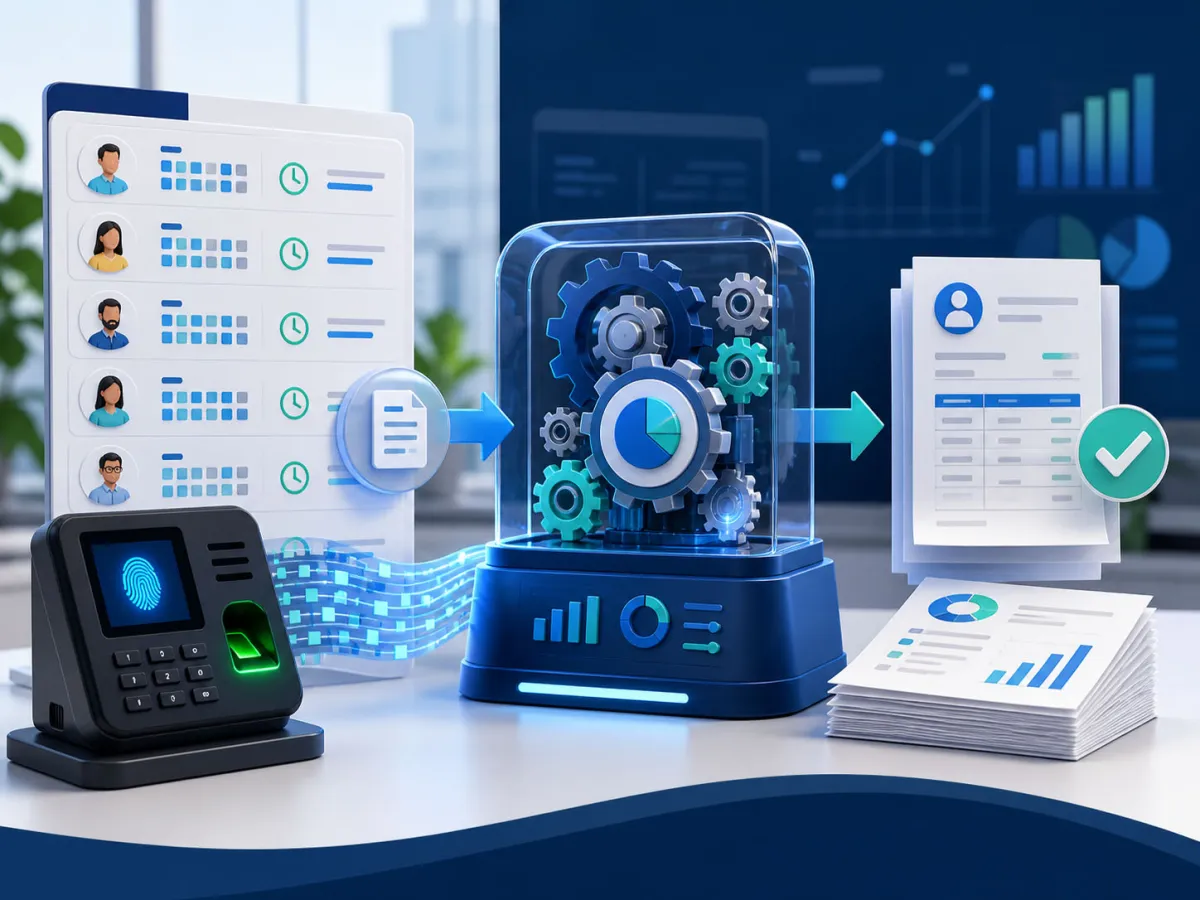
See how we transformed fragmented attendance records and repetitive payroll calculations i...
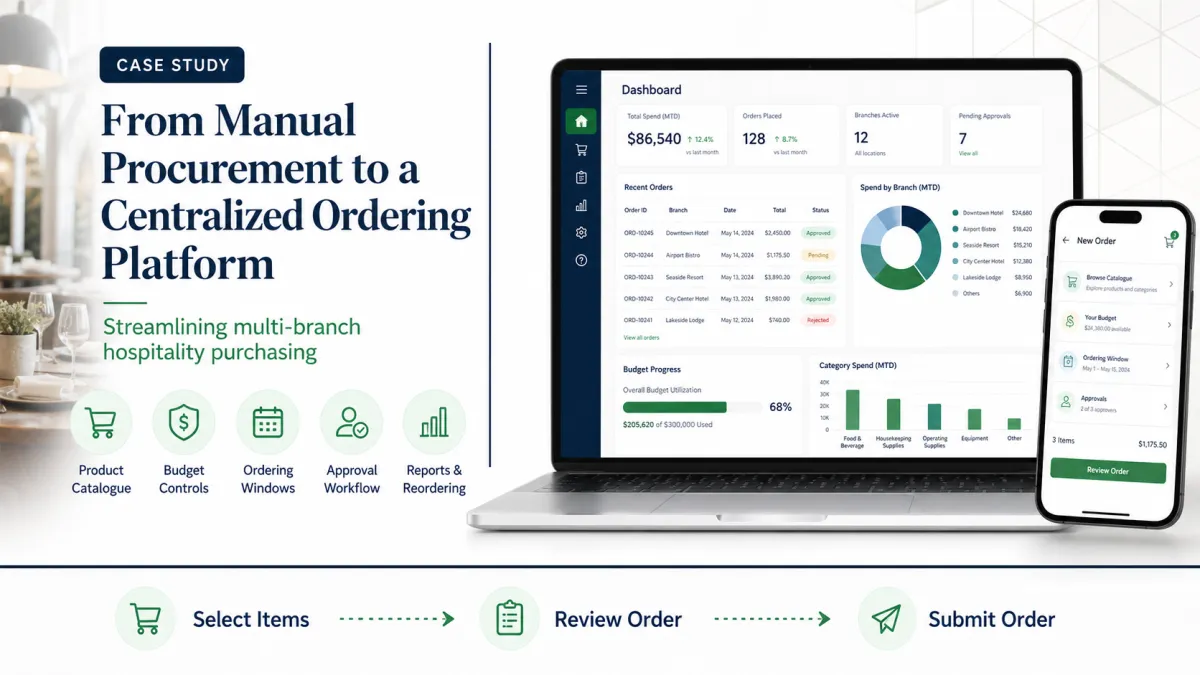
See how we replaced spreadsheets, messages, and manual approvals with a centralized orderi...