Monthly Website Maintenance Checklist: Keep Your Website Secure, Fast & Updated
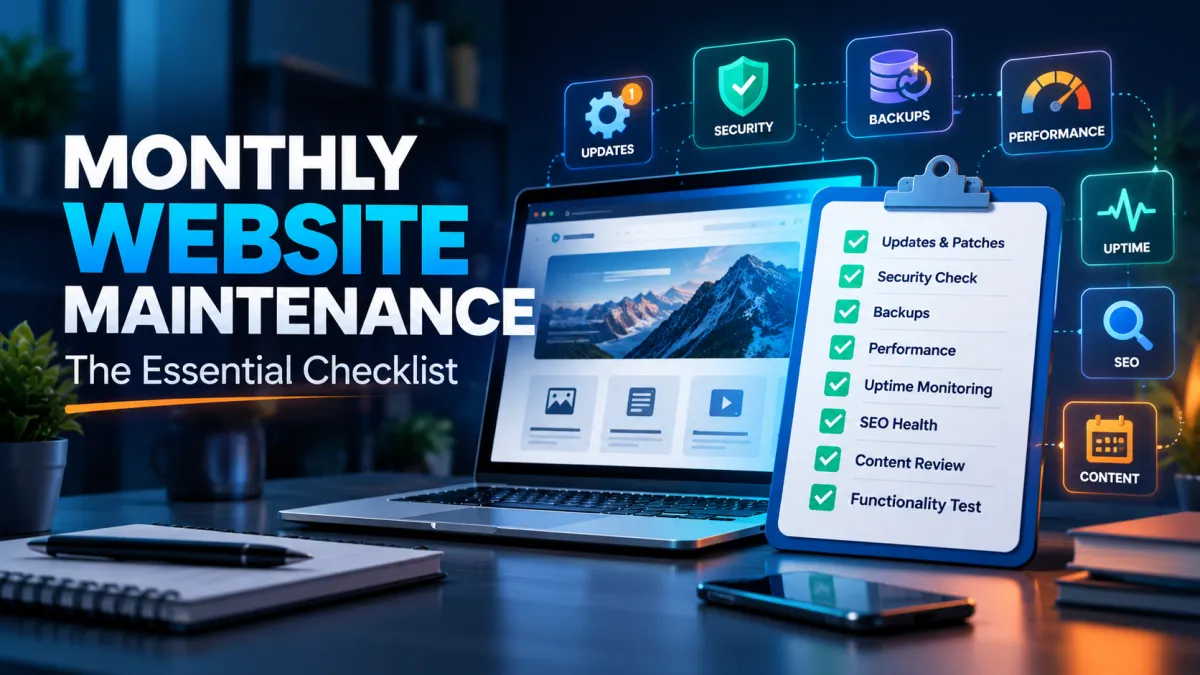
Launching a professional website is an important milestone for any business. It establishes your online presence, helps potential customers discover your products or services, and provides a platform for enquiries, sales, and customer engagement.
However, launching a website is only the beginning.
Just like business equipment, software, or physical infrastructure, a website requires regular maintenance to remain secure, functional, and effective. Without proper attention, even a professionally developed website can gradually experience performance problems, outdated content, broken functionality, and security vulnerabilities.
Many business owners assume that once their website is live, it will continue working without additional effort. While some websites may operate for long periods without noticeable problems, underlying issues can develop silently.
An outdated plugin might introduce a security vulnerability. An expired SSL certificate could prevent visitors from accessing the website normally. A malfunctioning contact form might cause your business to lose valuable enquiries without anyone realizing it.
These problems highlight why website maintenance should be treated as an ongoing business activity rather than an occasional technical repair.
At MDITech, we believe that a website should remain a dependable business asset long after its initial launch.
In this guide, we'll explain what website maintenance includes, why it matters, and the essential tasks business owners and website administrators should review every month.
What Is Website Maintenance?
Website maintenance is the ongoing process of inspecting, updating, securing, and improving a website to ensure that it continues operating as intended.
It involves more than updating text or replacing images. A complete maintenance routine addresses both visible website functionality and the technical systems operating behind the scenes.
These activities may include checking software versions, monitoring server health, reviewing backups, testing forms, optimizing website speed, identifying security issues, and ensuring content remains accurate.
For example, consider a business website that receives enquiries through a contact form.
If the form suddenly stops delivering notifications, visitors may still see a successful submission message while the business receives nothing. Without regular testing or monitoring, the problem may remain unnoticed for weeks.
Similarly, an e-commerce website might continue displaying products while experiencing intermittent payment failures or checkout errors.
Routine maintenance helps identify these problems before they significantly affect business operations.
Why Monthly Website Maintenance Is Important
A website represents your business to existing and potential customers. Its reliability can influence whether someone submits an enquiry, purchases a product, or chooses to contact a competitor.
Monthly maintenance creates a structured opportunity to review the website's condition and address problems that might otherwise go unnoticed.
1. Reduce Security Risks
Websites depend on applications, frameworks, plugins, hosting infrastructure, and third-party integrations. These components may develop vulnerabilities as new security weaknesses are discovered.
Regular maintenance allows administrators to review updates, identify suspicious activity, and verify that important protections remain effective.
However, critical security patches should be applied according to their urgency rather than waiting for a monthly maintenance window.
2. Maintain Website Performance
Website performance can change as new content, images, scripts, and functionality are added.
Large image files, inefficient database queries, excessive plugins, and unsuitable caching configurations may gradually affect loading speed.
Periodic performance reviews help identify these issues and prioritize improvements based on actual measurements.
3. Prevent Lost Business Enquiries
A broken contact form, invalid telephone link, incorrect email address, or malfunctioning booking process can directly affect business opportunities.
Testing these features regularly reduces the possibility of important problems going unnoticed.
4. Support Search Engine Visibility
Technical problems such as broken links, accidental noindex directives, server errors, and incorrect canonical URLs can interfere with search engine crawling and indexing.
Website maintenance helps identify these issues and preserve the technical foundation needed for ongoing SEO work.
Maintenance alone does not guarantee improved Google rankings, but it can prevent avoidable technical obstacles.
5. Improve Long-Term Reliability
Small problems are often easier to resolve when discovered early.
A structured maintenance routine gives website owners a clearer picture of the website's condition and helps them plan improvements before an issue becomes urgent.
The Essential Monthly Website Maintenance Checklist
The following checklist covers the most important areas business owners and administrators should review.
For business-critical websites, some checks should run automatically every day, while monthly reviews provide a more comprehensive assessment.
1. Review Website Software and Security Updates
Software updates are an essential part of website maintenance.
A typical business website may depend on a content management system, plugins, themes, a programming framework, server software, database systems, and third-party libraries.
Each of these components may receive updates addressing vulnerabilities, compatibility problems, or functionality issues.
For WordPress websites, review the WordPress core version, installed plugins, and active theme. Remove extensions that are unused or no longer maintained.
For Laravel websites, review framework updates, PHP compatibility, Composer dependencies, and any frontend packages managed through npm.
Before introducing significant changes, ensure a reliable backup is available and test the update in a staging environment when practical.
An update should not be considered complete until important website functions have been checked afterward.
A useful monthly review includes identifying available updates, confirming whether urgent patches were applied promptly, and documenting any updates deferred because of compatibility concerns.
2. Verify Website Backups and Recovery Readiness
Backups protect against accidental deletion, infrastructure failure, malware incidents, and other unexpected events.
However, simply enabling an automated backup system is not enough.
Website administrators should verify that scheduled backups are running successfully and that the resulting files can actually be used to restore the website.
Depending on the application, a backup may need to include:
Website files and uploaded media
Database information
Important configuration and deployment information
Required application-specific data
Sensitive credentials should be handled separately and securely rather than stored in unprotected backup archives.
For active business websites, backups may need to run daily or more frequently. Monthly maintenance should focus on verifying backup results, storage retention, and recovery readiness.
Consider maintaining at least one appropriately protected copy separate from the production server.
A periodic restoration test in an isolated environment is particularly important because a successful backup notification does not guarantee that the data can be restored correctly.
3. Conduct a Website Security Review
Security threats continue to evolve, and website configurations can change as new features and users are introduced.
A monthly security review should examine administrator access, security logs, suspicious file modifications, unusual traffic, and the status of protective systems.
Start by reviewing accounts with administrative privileges.
Former employees, contractors, or unused integrations should not retain unnecessary access. Users should receive only the permissions required for their responsibilities.
Next, verify that multifactor authentication is enabled where supported, and review important authentication events.
Check the status of your website firewall, malware monitoring, and other security controls.
For server-managed websites, this review may also include SSH access, firewall configuration, and exposed network services.
Security tools cannot guarantee complete protection, but regular review reduces the likelihood of known issues remaining unnoticed.
4. Check Website Speed and Performance
Website speed influences usability, especially for visitors using mobile devices or slower networks.
During monthly maintenance, measure important pages using consistent testing conditions so that changes can be compared over time.
Useful tools include Google PageSpeed Insights and browser developer tools.
Pay attention to Core Web Vitals, including Largest Contentful Paint (LCP), Interaction to Next Paint (INP), and Cumulative Layout Shift (CLS).
These metrics measure important aspects of loading performance, responsiveness, and visual stability.
A monthly review should investigate significant changes rather than focusing solely on achieving a perfect performance score.
For example, a slower homepage might be caused by a recently uploaded oversized banner image rather than a problem with the hosting server.
Other common causes include excessive JavaScript, unused CSS, third-party widgets, database queries, and caching issues.
5. Test Important Website Functionality
One of the most valuable maintenance activities is testing the website from a visitor's perspective.
Open the website on a desktop browser and a mobile device. Navigate through the main pages and perform the actions customers normally take.
For a service-based business, test the contact form, enquiry buttons, telephone links, and email links.
Confirm that form submissions reach the correct destination and that any automated acknowledgements work as intended.
For e-commerce websites, review product pages, shopping cart functionality, checkout, payment integrations, and order notifications using appropriate test modes.
For membership websites or custom web applications, check important login flows, permissions, dashboards, and user workflows.
These tests can uncover problems that server monitoring alone may not detect.
6. Review Website Uptime and Hosting Health
Website uptime refers to the proportion of time a website remains accessible and operational.
Even short outages can interrupt customer enquiries, transactions, or access to important services.
Businesses should use automated monitoring where appropriate rather than checking uptime only once a month.
During the monthly review, examine any recorded outages, recurring errors, and unusual resource consumption.
For managed servers, relevant indicators may include CPU usage, memory utilization, disk space, database availability, and web server error logs.
Repeated resource spikes or low disk space may indicate that the hosting environment needs attention.
A properly configured monitoring system should alert responsible administrators when important services become unavailable.
Businesses that prefer not to manage this infrastructure themselves may benefit from managed web hosting with clearly defined monitoring and support responsibilities.
7. Check Broken Links, Redirects, and SEO Health
Broken internal links create a frustrating experience for visitors and can make important content harder to discover.
During monthly maintenance, review navigation menus, internal article links, service pages, and frequently visited URLs.
Investigate unexpected 404 errors and ensure that pages moved to new URLs use appropriate redirects where necessary.
A broader technical SEO review should also include the website's XML sitemap, indexing status, canonical URLs, and important metadata.
Google Search Console can help identify indexing problems and changes affecting a website's visibility in Google Search.
Pay attention to accidental restrictions introduced through robots.txt, noindex directives, or deployment configuration.
Not every excluded URL is a problem. Some pages are intentionally excluded from search results, so indexing reports should be interpreted in the context of the website's SEO strategy.
8. Review and Update Website Content
Outdated content can reduce visitor confidence and create confusion.
For example, a website may continue displaying discontinued services, incorrect pricing, old contact information, or promotional offers that have already expired.
A monthly content review helps ensure important information remains accurate.
Pay particular attention to the homepage, major service pages, contact information, product listings, and high-traffic blog posts.
Not every blog article needs to be rewritten each month. Prioritize pages containing time-sensitive information, outdated statistics, broken resources, or details that have changed.
When publishing new articles, add relevant internal links from existing content and review whether older articles should reference the new material.
This approach supports content organization without making unnecessary changes simply to update publication dates.
9. Review Mobile Responsiveness and Browser Compatibility
A website that works correctly on one device may display problems on another.
Design changes, new plugins, and third-party scripts can affect responsive layouts even when the original website was properly developed.
During monthly maintenance, inspect important pages on mobile and desktop screen sizes.
Check navigation menus, contact buttons, forms, typography, image scaling, and horizontal scrolling.
Particular attention should be given to elements that visitors interact with, such as dropdown menus, search fields, modal windows, and checkout controls.
Although testing every possible device is impractical, reviewing common browsers and representative screen sizes can reveal important compatibility problems.
10. Check SSL Certificates, Domains, and DNS Settings
An expired SSL/TLS certificate can interrupt secure connections and cause browser warnings.
Domain expiration can create even more serious problems, potentially affecting the website and associated business email services.
Review certificate validity, renewal automation, and domain renewal settings.
Verify that important DNS records remain correct, particularly after hosting migrations, email-provider changes, or infrastructure updates.
Domain renewal reminders and certificate monitoring should be automated where possible because expiration dates may not align with your monthly review schedule.
Ensure that access to domain registrar and DNS accounts is protected with strong authentication.
11. Review Website Analytics and Conversion Activity
Website maintenance is not limited to technical checks. It can also help businesses understand whether the website continues to support their goals.
Review important analytics metrics such as traffic sources, popular landing pages, user engagement, and conversions.
For a service website, conversions might include contact form submissions, telephone enquiries, or quote requests.
For an e-commerce platform, they may include completed purchases, checkout completion rates, and revenue.
Compare these results with previous periods and investigate unexpected changes.
For example, a sudden drop in recorded enquiries might indicate a technical problem with the contact form, a tracking configuration issue, or a genuine decline in visitor activity.
Analytics data should be interpreted carefully because consent settings, tracking blockers, and configuration changes may affect recorded results.
12. Document Maintenance Activities and Plan Improvements
A maintenance checklist becomes more valuable when results are documented consistently.
Instead of completing tasks without retaining records, maintain a simple monthly report covering the website's condition, issues identified, actions completed, and outstanding recommendations.
A maintenance report might include the dates of software updates, backup verification results, uptime incidents, changes in performance measurements, and important SEO issues.
Documenting this information makes it easier to identify recurring problems and track whether previous fixes were effective.
For business owners working with an external development or hosting provider, it also improves transparency.
The report should identify who is responsible for unresolved issues and when follow-up action is required.
Quick Monthly Website Maintenance Checklist
Use the following checklist to keep track of essential maintenance tasks.
Software and Security
Review CMS, framework, plugin, and dependency updates.
Check administrator accounts and multifactor authentication.
Review security alerts and suspicious activity.
Verify firewall and malware monitoring.
Backups and Hosting
Verify scheduled backup success.
Confirm backup retention and recovery readiness.
Review uptime incidents and server health.
Check SSL, domain, and DNS renewal status.
Performance and Functionality
Compare key page performance metrics.
Test contact forms, links, and notifications.
Test important transactions and login flows.
Review mobile and browser functionality.
SEO and Content
Find important broken links and redirect errors.
Review indexing, sitemap, and canonical issues.
Update outdated business information and content.
Review analytics and conversion performance.
Reporting
Record completed actions and identified issues.
Assign owners and deadlines for follow-up activities.
How Often Should Website Maintenance Be Performed?
Although a monthly checklist provides a useful structure, not every maintenance activity should wait until the end of the month.
Important monitoring and backup tasks may need to run automatically throughout the day.
Frequency | Recommended Activities |
|---|---|
Daily | Automated backups, uptime alerts, critical security monitoring |
Weekly | Review update notices, important errors, and failed automated jobs |
Monthly | Full functionality review, performance comparison, SEO checks, content review, maintenance reporting |
Quarterly | Broader access audit, restoration testing, dependency review, accessibility assessment |
Annually | Domain and hosting review, disaster recovery plan review, larger technical and business assessment |
Immediately when needed | Critical security patches, incidents, outages, failed backups, and urgent functional problems |
The appropriate schedule depends on the website's complexity, traffic, business importance, and risk exposure.
An informational website may require less frequent manual intervention than an e-commerce platform or application managing customer accounts.
Website Maintenance for WordPress vs Laravel Websites
Different website technologies require different maintenance approaches.
WordPress websites commonly depend on core software, themes, and plugins. Regular maintenance should therefore focus on update compatibility, extension quality, backups, user access, and functional testing.
Laravel websites often involve custom application logic, Composer packages, frontend dependencies, database migrations, and server-side background processes.
For Laravel-based applications, maintenance may also involve reviewing failed jobs, scheduler execution, queue workers, application logs, storage permissions, and deployment configuration.
Neither technology eliminates the need for maintenance.
The best approach is to maintain a checklist tailored to the website's actual architecture rather than applying the same tasks indiscriminately to every platform.
Can Small Businesses Handle Website Maintenance Themselves?
Some maintenance activities can be handled directly by business owners, especially when the website uses a straightforward content management system.
Updating service descriptions, checking contact information, testing enquiry forms, and reviewing basic analytics may not require advanced technical knowledge.
However, server administration, security incidents, database problems, major framework updates, and complex compatibility issues often require professional assistance.
Businesses should also consider the opportunity cost of managing technical maintenance internally.
For a small business owner, spending several hours investigating a server problem may take time away from customers and core business operations.
Professional support can be useful when the website plays an important role in generating revenue or delivering services.
What Should a Website Maintenance Plan Include?
A professional maintenance plan should clearly define which activities are included and which require separate approval or additional charges.
Common maintenance services may cover software updates, backup monitoring, uptime checks, routine security reviews, small bug fixes, and technical support.
However, not all plans include content creation, new feature development, major redesigns, incident response, or comprehensive security testing.
Before selecting a plan, ask who is responsible for backup restoration, how urgent issues are prioritized, what response times apply, and whether changes are tested before deployment.
Understanding these details can prevent misunderstandings when a technical problem occurs.
Why Consider MDITech for Website Maintenance and Hosting?
Website maintenance becomes easier to manage when development, hosting, and technical support responsibilities are clearly coordinated.
MDITech provides web development, hosting infrastructure, and ongoing technical support services to businesses looking for dependable digital operations.
Our web development services focus on building maintainable websites and custom applications, while our hosting solutions help businesses manage the infrastructure behind them.
When reviewing maintenance requirements, we recommend evaluating the website's technology, security exposure, traffic, integrations, and business importance before choosing an appropriate support arrangement.
For businesses without an internal technical team, this approach can simplify responsibility for important operational tasks.
The exact maintenance scope, monitoring arrangements, and support commitments should always be confirmed in the service agreement.
Conclusion
A website should not be treated as a one-time investment that requires no attention after launch.
Regular maintenance helps protect your business from preventable technical problems, preserves website functionality, supports security, and provides opportunities for continuous improvement.
By following a practical monthly website maintenance checklist, you can review essential areas such as software updates, backups, security, hosting, performance, SEO, and customer-facing features.
Remember that some activities, including urgent security updates and uptime monitoring, require attention more frequently than once a month.
The objective is not simply to complete a checklist. It is to maintain a website that customers can access, trust, and use effectively.
Need help keeping your website secure, updated, and running smoothly?
Explore MDITech's web hosting services or contact our team to discuss your website maintenance requirements.
Frequently Asked Questions
1. What is included in monthly website maintenance?
Monthly website maintenance generally includes reviewing software updates, checking backups, inspecting security alerts, measuring website performance, testing essential functionality, reviewing uptime, identifying broken links, and checking important content and SEO settings.
2. How often should a business website be maintained?
A comprehensive review can be performed monthly, but critical monitoring, backups, and security updates may require daily or immediate attention. The ideal schedule depends on the website's complexity and business importance.
3. How much does website maintenance cost in India?
Website maintenance pricing varies based on website technology, number of pages, hosting responsibilities, backup frequency, security requirements, and support coverage. A small informational website will typically require less maintenance effort than an e-commerce site or custom web application. Request a scope-based quotation for an accurate price.
4. What happens if I don't maintain my website?
A neglected website may experience outdated software, security vulnerabilities, broken forms, poor performance, incorrect content, or backup problems. These issues can affect customer trust and business operations.
5. Can I maintain my WordPress website myself?
Yes. Many routine content and administrative tasks can be handled by website owners. However, major updates, malware infections, database failures, and server-level issues may require technical expertise.
6. Does Laravel require regular maintenance?
Yes. Laravel applications require periodic reviews of framework versions, Composer dependencies, PHP compatibility, background jobs, logs, security controls, database performance, and server infrastructure.
7. Does website maintenance improve SEO?
Maintenance helps preserve technical SEO health by identifying crawl errors, broken links, performance problems, and indexing issues. However, improved rankings also depend on content quality, competition, relevance, and other factors.
8. Are automatic backups enough for website maintenance?
No. Automated backups are valuable, but they should be monitored, retained securely, and periodically tested through restoration exercises. Website maintenance also includes updates, security, functionality, and performance.
9. Should website maintenance include security monitoring?
Yes. Security monitoring is an important part of maintenance. It can help identify suspicious activity, unauthorized access, malware alerts, and configuration problems. Continuous monitoring may be more appropriate than monthly-only checks.
10. Does MDITech provide website maintenance services?
MDITech offers ongoing technical support alongside its web development and hosting services. The exact maintenance coverage, including updates, backups, monitoring, and issue resolution, should be confirmed for the specific website.
Tagged in

Written by
Madhavendra DuttI build modern, high-performance websites and provide secure hosting and strategic digital marketing solutions that help businesses grow online. My focus is on clean development, speed, reliability, and measurable results.
View all posts →Related Posts
Continue exploring similar topics

Choosing the right web hosting plan is essential for website speed, security, and reliabil...

Discover how MDITech turns a website idea into a professional, secure, and high-performing...

Protect your business website from hackers, malware, and data breaches. Learn essential we...