7 Signs Your Website Has Outgrown Shared Hosting

Shared hosting is often the first choice for small businesses launching their websites. It is affordable, easy to manage, and generally provides everything needed to establish an online presence.
For a new business website, personal blog, or simple company portfolio, a quality shared hosting plan can be a practical and cost-effective solution.
But as your website grows, your hosting requirements may change.
Perhaps your website now receives more visitors than it did a year ago. Maybe you have introduced an online store, added customer accounts, or developed new features that require more computing resources.
You might also notice slower page loading, occasional resource-limit errors, or restrictions that prevent your developer from installing important software.
These challenges could indicate that your website has started to outgrow its current hosting environment.
However, not every slow website needs a VPS, and not every growing business requires a dedicated server.
The important question is whether your current hosting plan can continue supporting your website's actual requirements.
At MDITech, we believe businesses should upgrade their hosting based on measurable needs rather than promotional claims.
In this guide, we'll explore seven signs that your website may have outgrown shared hosting, explain how to investigate them, and help you decide when moving to a VPS or managed hosting environment makes sense.
What Does It Mean to Outgrow Shared Hosting?
Shared hosting allows multiple websites to operate within a server environment where computing resources are shared.
The hosting provider manages the infrastructure and typically offers customers access through a control panel.
This arrangement helps keep costs relatively low while simplifying server administration.
For smaller websites, shared hosting can work efficiently for years.
Problems may arise when your website requires more resources, configuration flexibility, or control than the hosting plan allows.
For example, your application may need persistent background processes, more memory, custom caching services, or higher concurrent request capacity.
The hosting provider may restrict these capabilities to maintain stability for everyone using the shared infrastructure.
Outgrowing shared hosting does not necessarily mean the service is poor. It may simply mean your website's needs have changed.
Before deciding on an upgrade, it is useful to understand the differences between hosting environments.
Our guide to Shared vs VPS vs Dedicated Hosting explains their main characteristics and suitable use cases.
Sign 1: Your Website Is Consistently Slow Despite Optimization
One of the first warning signs of insufficient hosting resources is consistently slow server-side performance.
Visitors may experience delays when opening pages, logging into accounts, submitting forms, or accessing database-driven content.
However, website speed depends on much more than hosting.
Large images, excessive JavaScript, inefficient database queries, unnecessary plugins, and poorly configured caching can all affect performance.
Therefore, slow loading should prompt investigation rather than an immediate hosting upgrade.
How to identify a hosting-related problem
Start by measuring important pages using tools such as Google PageSpeed Insights and browser developer tools.
Review the server response time, application processing time, and resource usage during slow periods.
If static assets load quickly but database-driven pages consistently respond slowly, investigate the backend application and database.
If CPU or memory usage repeatedly reaches the hosting provider's limits during normal traffic, the environment may be underpowered.
Another clue is performance variation throughout the day, particularly when the website becomes slower during predictable peak periods.
When an upgrade makes sense
An upgrade becomes reasonable when the website has already been optimized, but the current hosting plan cannot provide sufficient computing resources.
A VPS with appropriately allocated CPU and RAM may offer more predictable capacity and greater flexibility for application-level optimization.
However, the benefits depend on the actual VPS specifications and how the server is configured.
Before spending more on hosting, read our article on website speed and scalability optimization.
Sign 2: You Frequently Hit CPU, RAM, or Process Limits
Shared hosting plans typically restrict how many computing resources an account can consume.
These limits help prevent individual websites from affecting the entire shared environment.
Common restrictions may include CPU usage, memory consumption, concurrent processes, database connections, and disk input/output operations.
When your website repeatedly reaches these limits, visitors may encounter slow responses or temporary errors.
For example, some shared hosting environments display resource-limit warnings when too many requests are processed simultaneously.
Other problems may appear as failed background tasks, interrupted database operations, or HTTP errors.
What should you check?
Review the resource usage statistics available in your hosting control panel.
If your provider offers usage history, examine whether limits are being reached frequently or only during unusual traffic spikes.
Ask your hosting provider to explain the exact limits and how the account behaves when they are exceeded.
Also investigate whether a particular plugin, script, database query, or scheduled task is consuming excessive resources.
A poorly optimized application can overwhelm even a substantially larger server.
When an upgrade makes sense
If normal business activity repeatedly exhausts the available resources despite appropriate optimization, your website may require a hosting plan with greater capacity.
VPS hosting can provide allocated virtual resources and more configuration control.
The appropriate CPU, RAM, and storage requirements should be estimated from actual workload measurements rather than simply choosing the most expensive plan.
Sign 3: Your Website Traffic Has Grown Beyond the Original Plan
Business growth often leads to increased website traffic.
You might begin attracting more visitors through SEO, advertising, social media campaigns, or referrals.
A website that originally served a small number of visitors may eventually handle substantially more activity.
However, monthly visitor count alone is not a reliable way to determine hosting requirements.
A well-cached informational website can serve significant traffic with relatively modest resources.
A dynamic application with frequent database operations may require much more computing power even with fewer visitors.
Why concurrent traffic matters
Consider two websites receiving 30,000 visits per month.
The first is a simple blog with extensive page caching.
The second is an online booking platform where users search availability, authenticate, and submit database transactions.
Although their monthly traffic is identical, their infrastructure requirements may be very different.
It is often more useful to examine peak concurrent activity, request processing costs, and database workload.
When an upgrade makes sense
A hosting upgrade becomes appropriate when traffic growth causes measurable resource pressure, slower application responses, or recurring service errors.
For websites with unpredictable traffic spikes, you should also evaluate caching, CDN services, managed VPS hosting, and suitable cloud infrastructure.
The goal is to select resources that match how the website actually operates.
Sign 4: Your Application Requires Features Shared Hosting Cannot Support
Shared hosting is designed to provide a relatively standardized environment.
This works well for many content management systems and conventional business websites.
However, custom web applications may require additional server-level functionality.
For example, a Laravel application might use Redis caching, persistent queue workers, scheduled tasks, WebSockets, specialized PHP extensions, or custom deployment processes.
Some shared hosting providers support parts of this functionality, while others restrict it.
These restrictions may become more important as your application evolves.
Example: A Growing Laravel Application
Imagine a business website initially developed with basic service pages and a contact form.
Over time, it expands to include customer dashboards, automated notifications, reporting tools, and third-party integrations.
Some operations are better processed through background queues instead of making users wait for each task to complete.
If the hosting provider does not support persistent worker processes or the required server configurations, the application may be difficult to operate reliably.
A VPS can offer greater control over application services and background processes.
When an upgrade makes sense
Consider VPS hosting when a required feature cannot be implemented reliably within your current hosting restrictions.
Before migrating, confirm that the feature genuinely requires additional server control. A managed application platform or a higher-tier shared hosting plan may sometimes meet the same requirements.
The reason to upgrade should be a technical requirement, not simply the programming framework used to build the website.
Sign 5: You Experience Recurring Downtime or Availability Problems
Website availability is important for businesses that depend on online enquiries, bookings, sales, or customer access.
If your website becomes unavailable repeatedly, it may affect business operations and customer confidence.
However, downtime can occur for many reasons.
Server resource exhaustion, database failures, application errors, DNS problems, maintenance incidents, and network outages can all interrupt website access.
Not every outage is caused by shared hosting.
Investigate the actual cause
Use an independent uptime monitoring service to record when the website becomes unavailable.
Review server error logs and ask your hosting provider for incident details.
Check whether outages coincide with resource-limit events, traffic peaks, or application errors.
For important websites, monitor essential functions such as login, checkout, and contact forms rather than relying only on homepage availability.
If incidents arise from the provider's underlying infrastructure, moving to another reliable hosting provider may solve the issue without requiring VPS hosting.
When an upgrade makes sense
If recurring outages are directly connected to resource constraints or limitations in the current hosting environment, moving to a more suitable managed VPS may improve operational stability.
However, a VPS does not automatically provide high availability.
Reliable uptime also depends on server management, monitoring, application quality, backups, and recovery procedures.
Read Why Website Uptime Matters for Business Revenue to understand the commercial impact of availability problems.
Sign 6: You Need More Control Over Security and Server Configuration
As your website becomes more important to business operations, you may need greater control over its technical environment.
Shared hosting providers generally manage server configuration on behalf of multiple customers.
This can be convenient, but it may restrict advanced settings or specialized security controls.
For example, your application might require a particular runtime configuration, custom firewall rules, network-level access restrictions, additional monitoring tools, or specific server software.
A VPS provides a separate virtual environment that can typically be configured to match these requirements.
Greater control means greater responsibility
VPS hosting provides additional flexibility, but it also introduces administration responsibilities.
An unmanaged VPS requires appropriate operating system updates, firewall configuration, access control, monitoring, and backup management.
A poorly managed VPS may be less secure than a properly maintained shared hosting environment.
Therefore, businesses should not move to VPS hosting solely because they assume it will automatically be safer.
When an upgrade makes sense
VPS hosting becomes attractive when your security or configuration requirements cannot be adequately supported within the shared environment.
For businesses without an internal server administration team, managed VPS hosting may provide an appropriate balance of control and technical assistance.
Our article on Managed vs Unmanaged Hosting explains these responsibilities in greater detail.
Sign 7: Your Business Needs Better Scalability and Predictable Performance
A website often begins as a simple online presence.
As the business grows, it may become a more important part of customer communication, sales, and internal operations.
You might introduce an online store, customer portal, booking platform, membership system, or additional integrations.
These developments can increase application complexity and resource requirements.
At the same time, management may require more predictable performance, clearer service responsibilities, and better monitoring.
Planning for future growth
Imagine a company preparing to expand into new markets while investing in digital marketing campaigns.
Its website currently runs well, but planned features include online payments, customer accounts, and automated notifications.
If the existing hosting plan cannot support these requirements, waiting until the website experiences major problems may create unnecessary disruption.
A planned migration allows the development team to test the application, configure the new environment, and establish appropriate monitoring before the new functionality launches.
When an upgrade makes sense
Consider VPS or managed cloud infrastructure when you have a clear business requirement for additional resources, custom configuration, or a more flexible upgrade path.
However, avoid purchasing significantly more capacity than your business needs.
Choose infrastructure that supports realistic growth without introducing unnecessary cost or complexity.
Quick Checklist: Has Your Website Outgrown Shared Hosting?
Use the following table to evaluate whether an upgrade deserves serious consideration.
Warning sign | What to investigate |
|---|---|
Slow website performance | Server response time, application optimization, CPU usage |
Frequent resource-limit errors | CPU, RAM, concurrent processes, database connections |
Growing traffic | Peak concurrency, caching efficiency, request workload |
Unsupported application features | Background workers, required software, server configuration |
Recurring downtime | Error logs, hosting incidents, resource exhaustion |
Limited server control | Access restrictions, security requirements, software compatibility |
Increasing business complexity | Planned features, scalability, operational requirements |
Experiencing one of these issues does not automatically mean you need a VPS.
The decision should depend on the severity, frequency, root cause, and business impact of the problem.
If multiple signs are present and your existing hosting environment cannot address them effectively, upgrading becomes a stronger option.
Shared Hosting vs VPS Hosting: What Changes After Upgrading?
Moving from shared hosting to VPS hosting usually provides greater flexibility and control.
However, the extent of improvement depends on the hosting provider, specifications, and management arrangement.
Factor | Shared Hosting | VPS Hosting |
|---|---|---|
Resource allocation | Shared and subject to account limits | Allocated virtual resources |
Server configuration | Generally restricted | Greater customization |
Background processing | Provider-dependent | Greater control over workers and services |
Scaling options | Hosting plan upgrades | Virtual resource upgrades, provider-dependent |
Technical administration | Mostly provider-managed | Managed or customer-managed |
Cost | Generally lower | Generally higher |
Ideal use | Simple and moderately demanding websites | Custom and growing applications |
For businesses evaluating other infrastructure models, our Shared vs VPS vs Dedicated Hosting comparison offers a more detailed explanation.
Should You Upgrade Your Hosting or Optimize Your Website First?
Before moving to a new server, it is important to determine whether hosting resources are actually the problem.
For example, a website that loads slowly because of oversized images may not benefit substantially from additional CPU or memory.
Similarly, inefficient database queries may continue performing poorly after migration.
Start with a technical review of application performance, database usage, caching, and hosting resource consumption.
Identify whether the website is consistently reaching the limits of its existing environment.
If technical improvements can resolve the problem within the current plan, upgrading may not be necessary.
However, if the website is well optimized and still cannot operate reliably within the available resources, a higher-capacity environment becomes a reasonable investment.
The most cost-effective decision is based on evidence, not assumptions.
How to Migrate from Shared Hosting to VPS Safely
A successful hosting migration requires more than copying website files to a new server.
The process should begin with a review of the existing application and its dependencies.
Determine which PHP version, database engine, extensions, storage arrangements, scheduled tasks, and external integrations the website requires.
Prepare the new hosting environment and configure the necessary security controls.
Next, transfer the application files and databases using an appropriate migration strategy.
Test important functionality before updating DNS records or directing live traffic to the new environment.
For business-critical websites, plan the migration carefully to avoid data inconsistencies, particularly when orders, enquiries, or customer records continue changing.
A typical migration plan includes:
Reviewing application and infrastructure requirements.
Creating and verifying current backups.
Preparing and securing the destination environment.
Migrating files, databases, and configurations.
Testing functionality in a staging or pre-production environment.
Planning DNS changes and final data synchronization.
Monitoring the live website after migration.
Keeping a documented rollback or recovery procedure.
Migration complexity varies according to the website architecture.
For e-commerce applications and database-driven platforms, special attention should be given to preventing lost transactions or inconsistent records.
How Much Should You Spend on Better Hosting?
Upgrading hosting increases infrastructure expenditure, but it may also provide operational benefits.
The correct budget depends on your website's actual resource requirements and how important the website is to your business.
When comparing options, consider more than the advertised server price.
Managed VPS hosting may include technical administration, monitoring, backup management, or support services, depending on the plan.
Unmanaged VPS hosting may have a lower direct infrastructure cost but require additional administration.
Before upgrading, compare the total expected cost against the problems you are trying to solve.
For example, if repeated resource-limit errors prevent customer transactions, an upgrade may be justified by the business value of improved reliability.
If your website is already performing well and serving customers without problems, paying for additional resources may provide little immediate benefit.
Why Consider MDITech for Managed Web Hosting?
At MDITech, we believe hosting decisions should support the website's practical requirements and the business behind it.
Our services combine website development, managed hosting, and ongoing technical support, allowing businesses to coordinate application and infrastructure needs.
When evaluating a hosting upgrade, the first step should be understanding the existing environment.
That includes reviewing website performance, application requirements, resource usage, and future growth plans.
For a straightforward business website, a suitable shared hosting plan may remain sufficient.
For a custom application requiring additional resources, background processing, or greater configuration control, a managed server environment may be more appropriate.
Our web hosting services focus on dependable infrastructure, security, monitoring, and technical support.
The exact hosting resources, management responsibilities, backup arrangements, and service commitments should be confirmed for each project.
The objective is to choose a hosting environment that provides suitable capacity and support without unnecessary technical complexity.
Conclusion: Upgrade When Your Website Needs It
Shared hosting can be an excellent starting point for small business websites.
It offers affordable infrastructure and simplified administration, making it suitable for many informational websites, blogs, and relatively lightweight applications.
However, hosting needs evolve as website traffic, functionality, and business dependence increase.
Consistently slow performance, repeated resource-limit errors, unsupported application features, recurring downtime, and growing configuration requirements may indicate that the current plan is no longer suitable.
The most important step is identifying the actual cause of these problems.
Sometimes application optimization or a better shared hosting plan is enough.
In other cases, moving to managed VPS hosting provides the resources and flexibility necessary for continued growth.
The best time to upgrade is when your current hosting environment can no longer meet your website's requirements reliably and economically—not simply when your visitor count increases.
If you are unsure whether your website needs an upgrade, start with a review of its performance and infrastructure requirements.
Explore MDITech's managed hosting services or contact our team to discuss your website and possible hosting improvements.
Frequently Asked Questions
1. How do I know if my website has outgrown shared hosting?
Common signs include recurring resource-limit errors, slow server-side performance, restricted application functionality, and downtime linked to hosting limitations. Review resource usage and application performance before deciding to upgrade.
2. When should I upgrade from shared hosting to VPS?
Consider upgrading when your current hosting plan cannot provide the resources, configuration flexibility, or reliability required by your website, even after appropriate optimization.
3. Is VPS hosting faster than shared hosting?
VPS hosting can provide more predictable allocated resources and greater configuration control. However, actual performance depends on hardware, resource allocations, application optimization, and server management.
4. How many visitors can shared hosting handle?
There is no universal visitor limit. Capacity depends on the hosting plan, caching, website technology, visitor behavior, and concurrent activity. A lightweight cached website may serve more traffic than a database-intensive application on similar resources.
5. Can a Laravel website run on shared hosting?
Yes. Some Laravel applications can run successfully on compatible shared hosting. Applications requiring persistent workers, specialized services, or extensive configuration may be better suited to VPS or managed application infrastructure.
6. Will upgrading to VPS automatically fix a slow website?
No. If poor performance is caused by oversized images, inefficient queries, unnecessary scripts, or application problems, those issues may remain after upgrading. Identify and address the root cause first.
7. Is VPS hosting more secure than shared hosting?
VPS hosting generally provides stronger virtualization-based isolation and greater control. However, security depends on configuration, updates, access controls, monitoring, and maintenance. An unmanaged VPS is not automatically more secure.
8. What is the difference between managed and unmanaged VPS hosting?
Managed VPS hosting includes an agreed level of provider administration and technical support. Unmanaged VPS hosting places greater responsibility for configuration, security, maintenance, and troubleshooting on the customer.
9. Can I move my website from shared hosting to VPS without losing data?
Yes, a properly planned migration can preserve website files and database information. Backups, testing, final data synchronization, and careful deployment procedures help reduce migration risks.
10. Does VPS hosting improve Google rankings?
VPS hosting does not directly guarantee better rankings. It may help resolve hosting-related performance or availability problems, but search visibility depends on many other technical, content, and relevance factors.
11. Is VPS hosting necessary for an e-commerce website?
Not always. Smaller stores may operate successfully on suitable managed shared hosting. VPS hosting becomes more useful when resource demands, custom features, or configuration requirements exceed the current plan's capabilities.
12. Does MDITech provide managed hosting and migration assistance?
MDITech offers managed web hosting and technical support services. The availability and scope of migration assistance, server management, monitoring, and backups should be confirmed for the specific website and hosting arrangement.
Tagged in

Written by
Madhavendra DuttI build modern, high-performance websites and provide secure hosting and strategic digital marketing solutions that help businesses grow online. My focus is on clean development, speed, reliability, and measurable results.
View all posts →Related Posts
Continue exploring similar topics

Website downtime can cost your business sales, enquiries, and customer trust. Discover how...
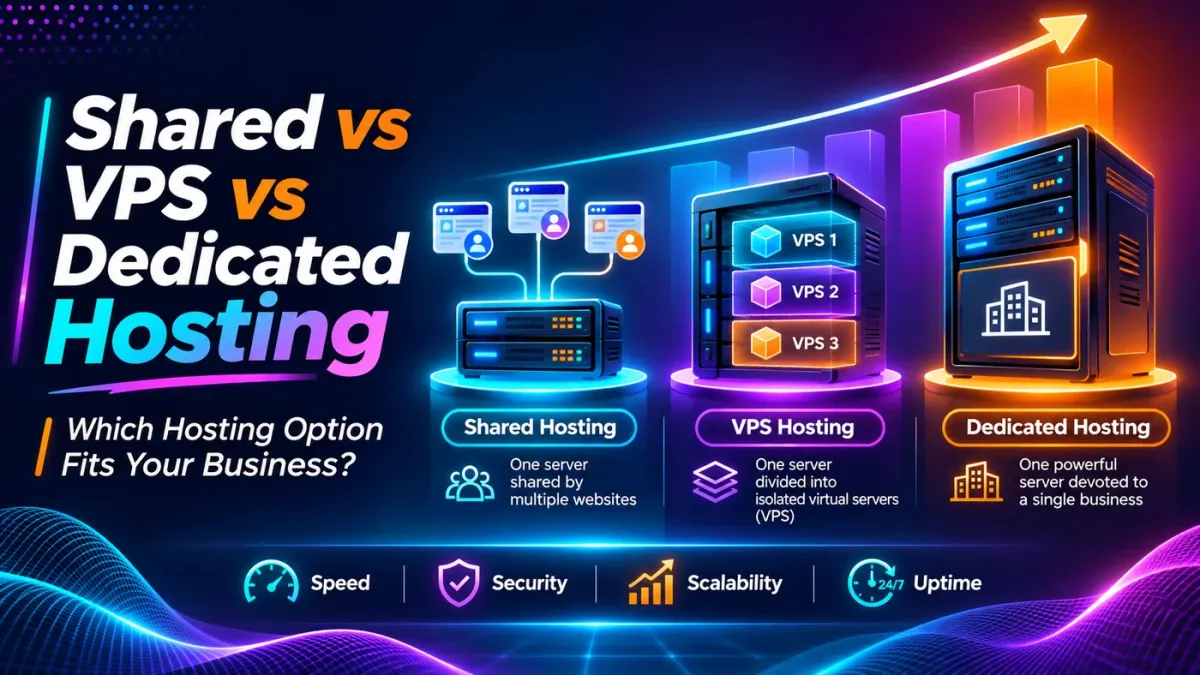
Confused between shared, VPS, and dedicated hosting? Explore their differences in cost, pe...

Choosing the right web hosting plan is essential for website speed, security, and reliabil...