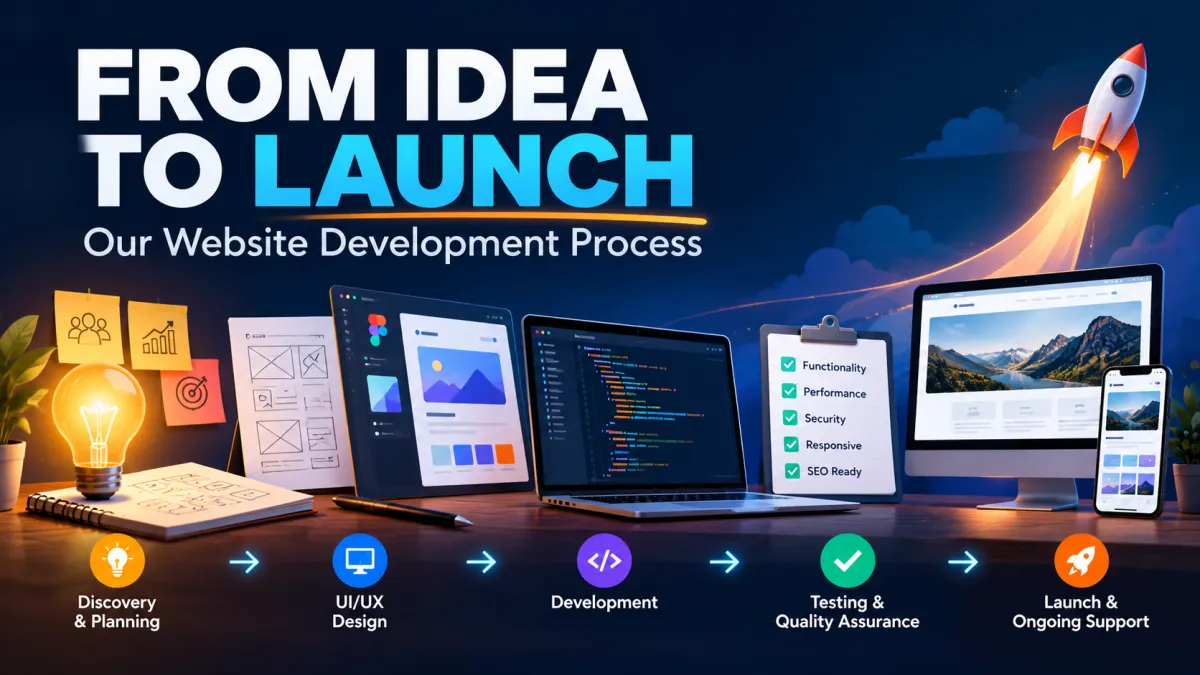
From Idea to Launch: Our Website Development Process
Every successful website begins with an idea. It might be a small business looking to establish its online presence, a startup preparing to launch a new service, or an established company planning to modernize its existing website.
However, turning that initial idea into a professional, functional, and reliable website involves much more than choosing a design and writing code.
A well-developed website requires careful planning, an understanding of business objectives, thoughtful user experience design, secure development, performance optimization, and thorough testing before launch.
Many website projects struggle because development begins without clearly defining what the website should achieve. This can lead to unnecessary features, missed deadlines, repeated revisions, and a final product that does not fully support the business.
At MDITech, our approach is built around a simple principle: understand the business problem first, then develop the right digital solution.
In this article, we'll walk through the website development process, from the initial discussion and project planning to design, development, testing, deployment, and ongoing support.
Whether you are planning your first business website or considering a custom web application, understanding these stages will help you make informed decisions and work more effectively with your development team.
Why a Structured Website Development Process Matters
A website is often one of the first places where potential customers interact with your business. Its design, usability, content, and performance influence how visitors perceive your brand.
A poorly planned website may look attractive but fail to generate enquiries. Another website might contain useful information but be difficult to navigate on mobile devices.
A structured development process helps prevent these problems by connecting technical decisions with business objectives.
Instead of immediately deciding which framework or design template to use, a development team should first understand the intended audience, business requirements, essential functionality, and expected outcomes.
This approach offers several advantages:
Clear project scope and expectations
Better control over development costs
Fewer misunderstandings and unnecessary revisions
Improved website usability and performance
Easier maintenance and future expansion
A more predictable launch process
A structured process also gives business owners opportunities to review progress and provide feedback at important stages.
Step 1: Discovery and Understanding Your Business
The first stage of website development is discovery.
Before designing pages or selecting technology, we need to understand what the website is expected to accomplish.
For example, a local service provider may need a website that generates calls and enquiries. An e-commerce business may require product management, online payments, and order tracking. A professional organization might need a secure client portal or a custom workflow management system.
Although all these projects involve websites, their requirements are very different.
What we discuss during discovery
An initial project discussion generally covers the following areas:
Business goals and target customers
Products, services, and unique selling points
Existing website challenges, if applicable
Required pages, features, and integrations
Competitor websites and design preferences
Expected budget and project timeline
Long-term expansion requirements
We also discuss how success should be measured.
For a business website, success might mean more qualified enquiries. For a customer portal, it could mean fewer manual processes and faster service delivery.
The outcome of this stage is a shared understanding of what needs to be built, why it matters, and what success should look like.
Step 2: Project Planning and Defining the Scope
Once the project requirements are understood, the next stage is translating those discussions into a practical development plan.
This stage is important because unclear requirements can cause scope changes, budget overruns, and development delays.
For a typical business website, the scope might include a homepage, about page, service pages, contact form, blog, and administrative content management.
A more advanced project may require customer authentication, online booking, payments, dashboards, APIs, or third-party integrations.
Creating a website sitemap
A sitemap helps organize the website's pages and their relationships.
For example, a service-based business may use the following structure:
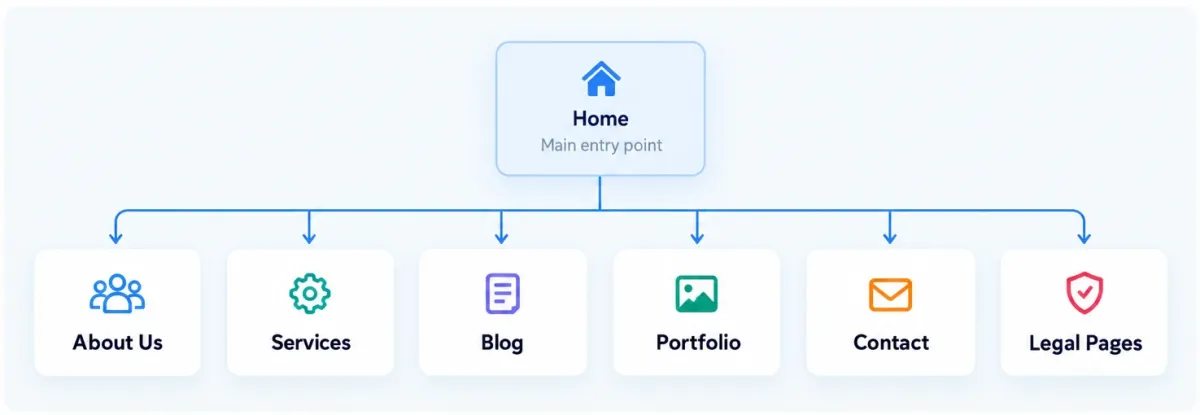
Example sitemap for a small business website
The sitemap provides a starting point for navigation, content preparation, and search engine optimization.
Prioritizing essential features
Not every feature needs to be included in the first release.
For larger projects, we recommend identifying a Minimum Viable Product (MVP) containing the functionality necessary to solve the primary business problem.
Additional features can be introduced after the initial release based on actual user needs and feedback.
At this stage, the development scope, deliverables, responsibilities, milestones, assumptions, and change-request process should be documented.
This helps both the client and the development team maintain realistic expectations.
Step 3: UI/UX Design and Website Wireframing

With the project scope established, we move into website design.
A successful website needs to balance visual appearance with usability. Visitors should be able to understand what the business offers, locate important information, and complete their intended actions without confusion.
This is where UI and UX design become essential.
User Interface (UI) focuses on the visual elements of a website, such as typography, colors, buttons, layouts, and navigation.
User Experience (UX) focuses on how easily and effectively visitors can interact with those elements.
A website can have an attractive design while still offering a poor user experience. For example, an enquiry button may look appealing but be difficult to find.
Starting with wireframes
Wireframes are simplified layouts that help establish the structure of individual pages before detailed visual design begins.
They show the general placement of content sections, navigation menus, images, forms, and calls to action.
During this stage, we consider how users will move through the website and which actions should receive the most attention.
For a service-based website, important elements might include clearly presented services, customer testimonials, frequently asked questions, and visible contact options.
For an e-commerce website, product discovery, filtering, checkout simplicity, and mobile usability become priorities.
Designing for multiple devices
Modern websites must work across desktops, laptops, tablets, and smartphones.
Rather than treating mobile compatibility as a final adjustment, responsive behavior should be considered throughout the design process.
This includes appropriate typography, touch-friendly buttons, readable content, and layouts that adapt to different screen sizes.
Client feedback at the design stage helps resolve visual and usability concerns before development becomes more expensive to revise.
Step 4: Choosing the Right Technology Stack
Once the design and functional requirements are clear, the development team can select the most suitable technologies.
Technology choices should be based on project requirements, expected complexity, maintenance needs, and future growth.
A relatively simple informational website may not need the same architecture as a business management platform handling thousands of records and multiple user roles.
Depending on the project, the technology stack may include:
Frontend: HTML, CSS, JavaScript, Tailwind CSS, or React
Backend: Laravel, PHP, or other suitable application frameworks
Database: MySQL, PostgreSQL, or another appropriate database system
Infrastructure: Linux servers, Nginx, managed hosting, or cloud services
Integrations: Payment gateways, email services, analytics, APIs, or business software
At MDITech, we work with modern development technologies, selecting an approach suited to the particular project rather than introducing complexity simply because a technology is popular.
For many custom business applications, Laravel can provide a maintainable foundation for backend operations, authentication, APIs, and database-driven functionality.
The most important consideration is not selecting the largest or newest technology stack. It is selecting a solution that meets the business requirements while remaining secure, maintainable, and practical to operate.
Step 5: Website Development and Implementation
After planning and design approval, the project moves into development.
This is the stage where layouts, functionality, business rules, and integrations become a working website.
Development usually takes place in a controlled environment separate from the live production website.
Frontend development
Frontend development focuses on what visitors see and interact with.
Approved designs are translated into responsive pages using appropriate frontend technologies.
During implementation, developers consider visual consistency, accessible navigation, readable content, efficient asset loading, and compatibility across common browsers.
A well-built frontend should not only resemble the approved design but also remain usable under different screen sizes and input methods.
Backend development
The backend handles operations such as content management, form processing, user authentication, database interactions, and business logic.
For example, when a customer submits a contact form, the backend may validate the information, store the enquiry, and send an appropriate notification.
A custom business application may also require permissions, reporting dashboards, payment processing, and integrations with external systems.
Backend development should include proper input validation, secure authorization, error handling, and careful management of sensitive information.
Building for future maintenance
Clean, maintainable code can reduce the effort required for future updates and new features.
We favor organizing application functionality logically, avoiding unnecessary duplication, and documenting important implementation decisions.
For projects that require customization and long-term flexibility, our custom web development services are designed around the needs of the business rather than a fixed template.
Step 6: Content Preparation and On-Page SEO
A website is not complete simply because its design and functionality are ready.
Content gives visitors a reason to explore the website and helps search engines understand the purpose of each page.
Website content should communicate what the business offers, who it serves, how it solves customer problems, and what visitors should do next.
Content preparation may involve service descriptions, company information, product details, images, customer testimonials, and frequently asked questions.
Building SEO into the development process
Search engine optimization should be considered during planning and development rather than being added only after launch.
Foundational on-page SEO activities may include:
Clear page titles and meta descriptions
Logical heading structures
Search-friendly and readable URLs
Descriptive image alt text
Internal links between relevant pages
XML sitemap generation
Canonical URLs where appropriate
Structured data where relevant
Mobile usability and performance optimization
A technically sound website creates a stronger foundation for future SEO activities, although it does not guarantee search rankings.
For businesses targeting organic visibility, our digital marketing services can complement website development with ongoing search optimization and growth activities.
Step 7: Website Testing and Quality Assurance
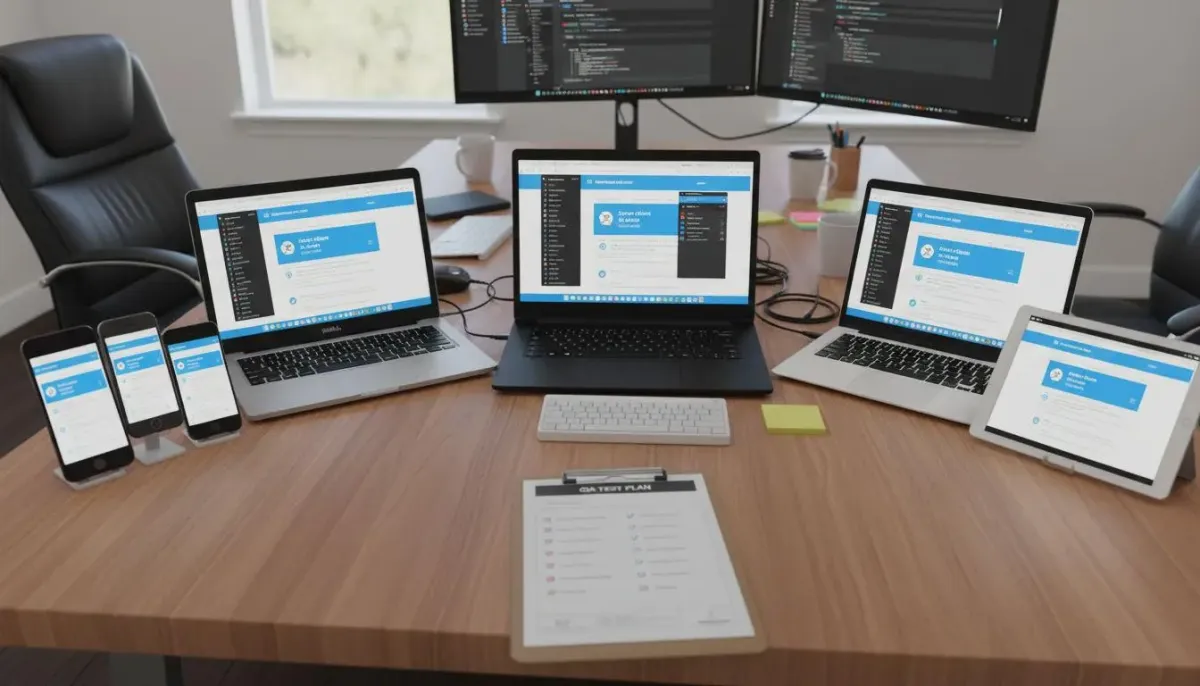
Before a website goes live, it should undergo systematic testing.
Even when individual features appear to work correctly, unexpected problems can arise through device differences, invalid form submissions, browser behavior, integrations, or deployment configurations.
Testing helps identify these issues before customers encounter them.
Functional testing
Functional testing verifies that important website features behave as expected.
For example, developers may check whether contact forms submit successfully, navigation links reach the correct pages, authentication works properly, and payment or booking processes handle expected scenarios.
Responsive and browser testing
Responsive testing checks how pages behave on different screen sizes.
This helps identify problems such as overlapping elements, excessively small text, difficult navigation, or buttons that are hard to select on mobile devices.
Performance testing
Website performance affects the experience of visitors, especially those using mobile networks or slower devices.
Common areas reviewed include image sizes, unnecessary JavaScript, CSS delivery, caching, server response times, and database performance.
At MDITech, performance optimization is treated as a combination of application and infrastructure decisions. Our existing guide, How We Optimize Websites for Speed and Scalability, explains these considerations in greater detail.
Security and accessibility testing
Security testing helps detect problems involving authentication, permissions, configuration, and data handling.
Accessibility checks examine whether visitors can navigate and understand the website, including users who rely on keyboards or assistive technologies.
Testing should also include error handling, broken links, missing images, and important user journeys.
The objective is to launch a website that is ready for real-world use rather than one that merely looks complete.
Step 8: Client Review and Final Approval
Before deployment, the client should have an opportunity to review the website in a staging environment.
A staging website allows the client to examine pages, verify content, and test important functionality without affecting the production website.
We recommend reviewing the project against the originally approved scope rather than relying entirely on general visual impressions.
Typical review questions include:
Are the services, contact details, and business information correct?
Are the important pages and features complete?
Does the website communicate the intended brand identity?
Can visitors complete essential actions easily?
Have any remaining issues or launch dependencies been documented?
Feedback is consolidated, prioritized, and addressed according to the agreed project scope.
Final approval confirms that the website is ready for the planned launch, subject to any explicitly documented outstanding items.
Step 9: Hosting Setup and Website Deployment
Once the website has passed testing and received approval, the next stage is deployment.
Deployment involves making the website accessible through its live domain name and production hosting environment.
Depending on the architecture, this may include preparing the server, configuring the application, connecting the database, updating DNS records, enabling HTTPS, and setting up required background processes.
For a Laravel application, deployment can also involve production environment settings, database migrations, cache optimization, scheduled tasks, queue workers, and file-storage configuration.
Before deployment, we verify that backups and recovery procedures are in place.
Website launch checklist
Pre-launch checklist
Domain and DNS configuration checked
Production environment configured securely
SSL/TLS certificate working
Database and application functionality verified
Contact forms and email notifications tested
SEO metadata, canonical URLs, sitemap, and robots rules checked
Backups and recovery procedure reviewed
Analytics and monitoring configured
Mobile functionality and critical pages rechecked
Client approval and rollback plan documented
After the website goes live, important user journeys should be tested again in the production environment.
A successful deployment is not simply the moment when the homepage becomes accessible. It is the point when the website is functioning correctly, securely configured, and ready for its intended users.
For businesses requiring ongoing technical assistance, MDITech's web hosting solutions support the infrastructure needed to operate a website after launch.
Step 10: Post-Launch Monitoring, Maintenance, and Growth
Launching a website is a significant milestone, but it is not the end of the development process.
Over time, customer expectations change, new business requirements emerge, software dependencies receive updates, and opportunities for improvement become apparent.
A website that receives no maintenance may gradually develop performance, compatibility, or security problems.
Post-launch activities commonly include software updates, backups, uptime monitoring, bug fixes, security checks, and performance reviews.
For growing businesses, analytics can help identify which pages attract visitors, how users interact with the website, and where potential customers abandon important processes.
These insights can inform future improvements.
For example, a service business might discover that visitors frequently reach a service page but rarely submit the enquiry form. Reviewing page content, form complexity, and call-to-action placement could reveal opportunities to improve conversions.
Our development philosophy focuses on building websites that remain useful as the business evolves.
What Clients Should Prepare Before Starting a Website Project
A successful project benefits from collaboration between the client and development team.
You do not need to understand programming or decide which technology framework to use. However, preparing some basic business information can make discovery and planning more effective.
Before starting, consider the following:
The primary objective of your website
Your target customers and their needs
Products or services to be featured
Existing brand assets, including logos and photographs
Preferred design examples
Essential integrations or special features
Available budget and target launch window
The person responsible for providing content and approvals
If you do not yet have all these details, they can be developed during the discovery process.
The key is to establish priorities early so the project does not become unnecessarily complicated.
How Long Does It Take to Develop a Website?
Website development timelines vary depending on scope, complexity, content readiness, integrations, and approval cycles.
A simple informational website may be completed relatively quickly, while a custom application involving multiple user roles, complex workflows, or external integrations can require several months.
The following figures are illustrative planning ranges, not fixed MDITech delivery commitments.
Project type | Illustrative timeline |
|---|---|
Small business website (5-10 pages) | 2-4 weeks |
Custom business website with CMS | 4-8 weeks |
E-commerce website | 6-12 weeks |
Custom web application or portal | 8-20+ weeks |
These estimates assume that the project scope is defined and required content, integrations, and approvals are available in a timely manner.
The final timeline should be confirmed after reviewing the specific requirements.
How Much Does Professional Website Development Cost?
Website development costs depend on the amount of design work, number of pages, required functionality, content preparation, integrations, and long-term support needs.
A website using a simple established layout will generally cost less than a custom platform with complex business workflows.
Business website development starting from ₹14,999, with final pricing based on scope and requirements.
Before approving a quotation, businesses should understand which services are included, who will own the domain and website assets, what changes count as additional scope, and whether hosting and maintenance involve recurring charges.
Choosing a development partner based only on the lowest initial price can overlook the ongoing costs of operation, security, and future modifications.
A transparent proposal makes these responsibilities clear from the beginning.
Why Choose MDITech for Website Development?
Building a website involves several connected responsibilities, including business analysis, design, application development, infrastructure, and ongoing improvements.
At MDITech, we bring web development, managed hosting, and digital growth services together so businesses can coordinate these responsibilities more effectively.
Our emphasis is on understanding real business workflows, selecting maintainable technologies, and building practical solutions that support long-term operation.
We focus on:
Business-oriented requirements and clear project scope
Responsive interfaces and usable customer journeys
Maintainable application architecture
Performance and security considerations
Dependable hosting and technical support
Opportunities for continued improvement after launch
Our projects also extend beyond conventional business websites into custom software and platforms addressing specific operational problems.
For an example of a real-world application, read Why We Built Society App: A Complete Housing Society Management Platform, which explains how operational requirements shaped a custom software solution.
Conclusion: A Successful Website Begins with the Right Process
Turning an idea into a successful website requires more than attractive visuals or technical expertise.
It involves understanding business goals, defining requirements, designing useful experiences, developing reliable functionality, conducting proper testing, and preparing for long-term operation.
Each stage plays a role in ensuring that the final website delivers meaningful value.
At MDITech, we believe that good development begins with asking the right questions and continues beyond the moment a website goes live.
Whether you need a professional business website, an improved online presence, or a custom web application, a structured development process helps turn your vision into a practical digital solution.
Have a website idea? Let's turn it into something useful.
Explore our professional website development services or contact MDITech to discuss your project requirements.
Frequently Asked Questions (FAQ)
1. What are the main stages of website development?
The main stages are discovery, requirements gathering, project planning, UI/UX design, technology selection, frontend and backend development, content preparation, testing, client approval, deployment, and post-launch maintenance. The exact sequence may vary depending on the project.
2. How long does MDITech take to develop a business website?
The timeline depends on the scope, number of pages, required features, and availability of content. A typical small business website may take approximately 2-4 weeks, while larger custom websites and applications may require longer. MDITech can confirm a project-specific schedule after discovery.
3. What information do I need before starting a website project?
It helps to have your business objectives, target audience, services, branding materials, desired features, and an approximate budget. You can also share examples of websites you like. Detailed technical requirements can be defined with the development team.
4. Does MDITech provide website design as well as development?
Yes. MDITech offers web development services covering custom websites, responsive interfaces, and business applications. Design and development requirements are determined according to the individual project scope.
5. Will my website work properly on mobile devices?
Responsive design is an important part of modern website development. The intended website should be designed and tested for common mobile, tablet, and desktop screen sizes, with attention to navigation, readability, and interactive elements.
6. Is SEO included in the website development process?
Essential technical and on-page SEO considerations can be incorporated during development, such as semantic structure, metadata, readable URLs, mobile usability, and performance. Ongoing keyword research, content marketing, and search optimization may require a separate SEO engagement.
7. Can I update my website after it is launched?
Yes, provided the project includes an appropriate content management system or an agreed update process. Website owners can manage certain content themselves, while more complex design or functionality changes may require developer assistance.
8. Can I add new features to my website in the future?
Yes. A properly planned website can be extended with additional pages, functionality, integrations, and business workflows. The cost and complexity of future features depend on the existing architecture and new requirements.
9. Does MDITech provide hosting and maintenance after development?
MDITech offers web hosting and ongoing technical support services. The specific hosting, backup, monitoring, update, and maintenance responsibilities should be agreed upon when finalizing the project or support plan.
10. How much does a website cost at MDITech?
Business website packages starting at ₹14,999. Final pricing depends on the project's design, functionality, integrations, content requirements, and support arrangements.
11. What happens if I need changes during development?
Changes can be discussed during the project. Minor adjustments within the approved scope may be handled through the regular review process, while significant new requirements may require updated costs or timelines.
12. Will I own my website after development?
Website ownership, source-code access, domain registration, third-party licenses, and handover arrangements should be defined in the project agreement. Clients should clarify these terms before development begins.
Tagged in

Written by
Madhavendra DuttI build modern, high-performance websites and provide secure hosting and strategic digital marketing solutions that help businesses grow online. My focus is on clean development, speed, reliability, and measurable results.
View all posts →Related Posts
Continue exploring similar topics

Planning your first business website? Discover what small businesses should know before in...

Is your business website holding you back? Discover 10 warning signs that indicate it's ti...
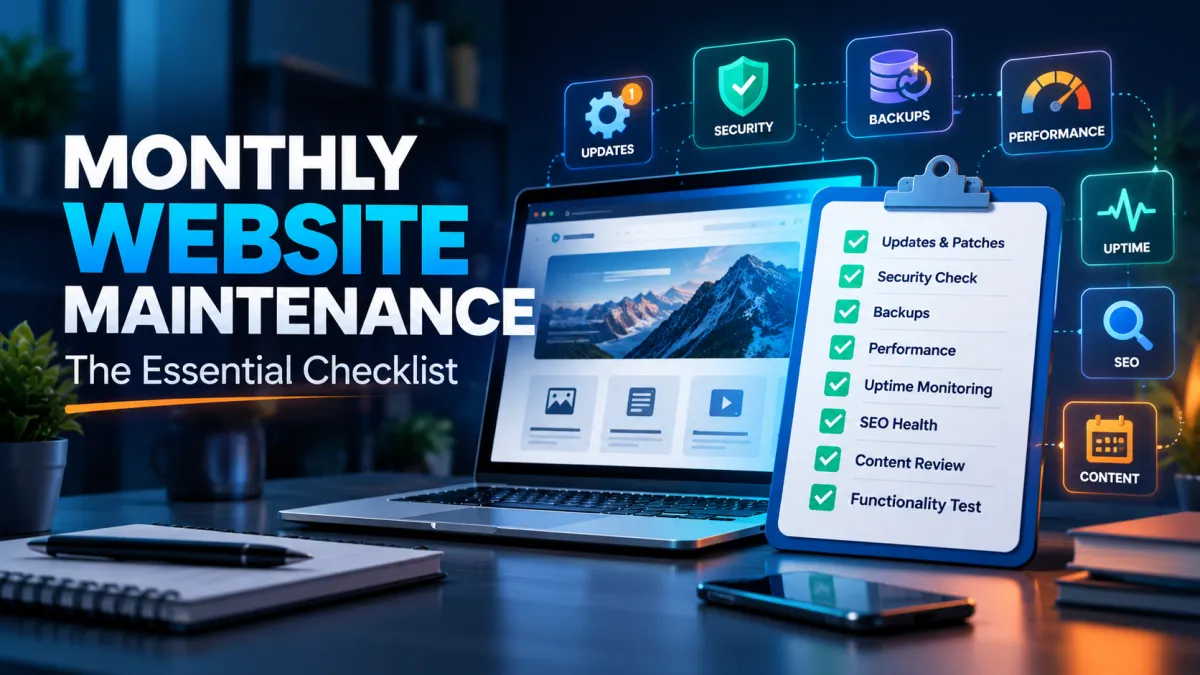
Keep your business website secure, fast, and reliable with this practical monthly maintena...